

Table of Contents
AI works best in BIM on narrow, repeatable tasks that a person can check: searching project documents, sorting model issues, creating schedules and views from a text prompt, and classifying point cloud data. It works poorly when a task depends on project context, contract requirements, or professional accountability. For those decisions an experienced BIM professional decides, and AI speeds up the preparation.
Most BIM teams now have an AI tool within reach, and few have a rule for what to give it. Give it the wrong task and the team spends longer correcting the output than the manual method would have taken. Give it nothing and hours go to work a tool could handle.
This article sorts BIM work by how much human checking each task needs. It also shows how to test an AI tool on your own project before you rely on it.
How many AEC firms use AI in 2026?
The answer depends on the survey, because each one defines “using AI” differently.| Survey | Who was asked | Finding |
| Bluebeam AEC Technology Outlook 2026 | 1,000+ AEC professionals | 27% use AI for automation or decision-making |
| AGC and Sage 2026 outlook | U.S. construction firms | 61% use AI or plan to increase AI investment, up from 44% the year before |
| NBS Digital Construction Report 2025 | UK architecture and construction professionals | 49% of architecture respondents use AI at work, and 43% across the construction industry |
| Allplan live poll, June 2026 | About 400 attendees of an online talk | More than half use AI actively: 21% several times a week and 11% daily AI Impact Among Contractors Doubles in 2026, Reports Find +3 |
Which BIM tasks does AI handle well in 2026?
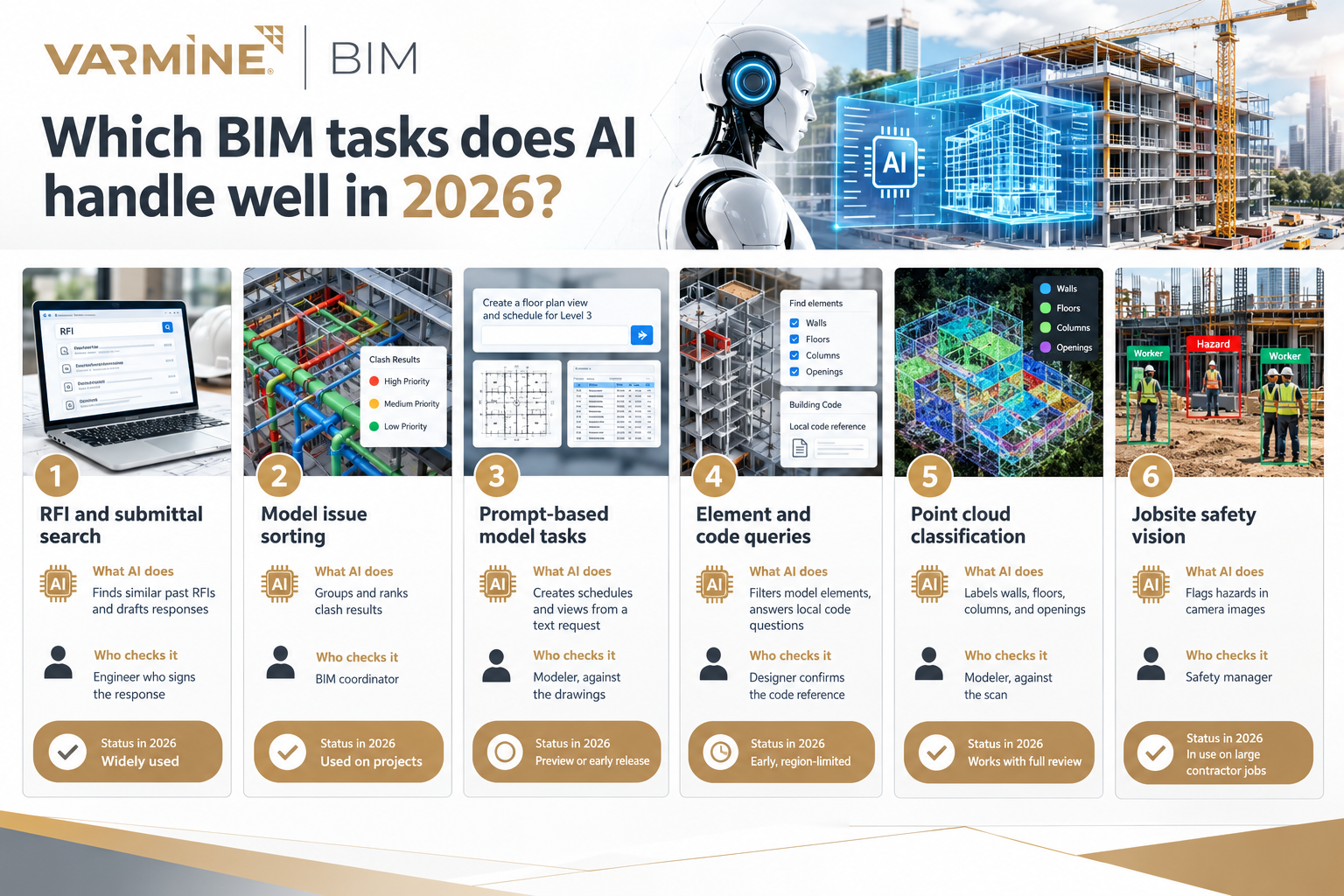
The table shows where AI is in use, who checks the result, and how mature the tool is. The checker column matters most.
Task | What AI does | Who checks it | Status in 2026 |
RFI and submittal search | Finds similar past RFIs and drafts responses | Engineer who signs the response | Widely used |
Model issue sorting | Groups and ranks clash results | BIM coordinator | Used on projects |
Prompt-based model tasks | Creates schedules and views from a text request | Modeler, against the drawings | Preview or early release |
Element and code queries | Filters model elements, answers local code questions | Designer confirms the code reference | Early, region-limited |
Point cloud classification | Labels walls, floors, columns, and openings | Modeler, against the scan | Works with full review |
Jobsite safety vision | Flags hazards in camera images | Safety manager | In use on large contractor jobs |
Document work is the lowest-risk place to start
PDP Spectra’s 2026 review of AI in construction BIM calls document AI for RFIs and submittals the most useful application, and a low-risk one because a person still signs the response. A good setup shows the engineer similar RFIs already answered on this or other projects, so the same question is not answered twice. The AI finds and drafts. The engineer answers.
Issue sorting after clash detection
The same review says geometric clash detection is solved, and that AI adds prioritization, root cause analysis, and learning from how clashes were resolved on past projects. Our guide to AI-powered BIM clash detection covers the method, tools, and limits in detail. Here it is one task among several.
Text prompts inside authoring tools
Autodesk released a tech preview of Autodesk Assistant in Revit in April 2026. Users type requests such as creating a door schedule sorted by level, and the assistant answers product questions from Autodesk documentation. At Autodesk University 2026, Autodesk announced a standalone Assistant that works across its products, according to AEC Magazine.
Nemetschek is taking the same direction. Its AI Assistant is rolling into Archicad 29 and Allplan, where it filters model elements and answers questions about local building rules, starting with regions such as the UK.
These tools are new and some are still previews. Test them on a copy of the model, never on the live central file.
Point clouds and scan to BIM
Machine learning can classify walls, floors, columns, and openings directly from 3D scans, which reduces manual modeling effort. The limit is the scan itself. Building point clouds are often incomplete because of scanning limitations, so a model trained on clean data meets gaps on a real site. A study in Automation in Construction, from ETH Zurich, examined how the level of automation and the modeler’s training affect the accuracy of the resulting BIM.
The working rule: AI classifies, and a modeler verifies against the scan. Our guide to scan to BIM for renovation and retrofit covers the full workflow.
Safety vision on site
Computer vision for jobsite safety is now deployed at scale, and several large general contractors have made it standard on jobs above a certain size. Site monitoring that connects to the model is covered in our article on digital twins for facility management and construction monitoring.
Where do BIM experts still matter?

AI tools depend on the quality of the model underneath them. One 2026 industry article makes the same point: AI works on top of a solid model. If the model has wrong levels or inconsistent naming, the tool inherits those problems and repeats them faster.
The decisions below stay with people because they depend on information the model does not contain.
Decision | Why a person makes it |
Level of development and model purpose | A model built for coordination and a model built for fabrication need different detail. The contract sets which one applies, and the tool does not know unless someone tells it. |
Information requirements | ISO 19650 workflows and client naming rules are set in the BIM execution plan. A BIM manager interprets them when they conflict or are unclear. See our BIM execution plan guide. |
Code questions | AI can point to a code section. A professional confirms it applies to that jurisdiction and building type. |
Hidden conditions in scans | A scan records visible surfaces. The modeler decides how to model what sits behind finishes, using drawings, site notes, and experience. |
Sign-off | AI output carries no professional responsibility. The person who signs the deliverable owns it. |
How do you test an AI tool before relying on it?
- Pick one task with a checkable output, such as a schedule or a set of views.
- Run the tool on a finished project where you already know the correct result.
- Compare it with the manual result. Record the time saved and the number of errors a reviewer had to fix.
- Name who reviews the output and signs it before it leaves the team.
- Check where project data goes when the tool processes it. The Bluebeam survey found that data security concerns and complexity were the top reasons firms held back.
- Repeat on a second project before adding more users or tasks.
Four questions to ask any BIM team about AI
- Which steps in your workflow use AI, and which are done by hand?
- Who reviews AI output, and what does your QA/QC process check?
- Where is our project data processed and stored?
- Which standards are the deliverables checked against?
At Varminect, modeling and coordination run in Revit, Navisworks, Dynamo, and Synchro 4D. Deliverables follow ISO 19650 and region-specific standards, with QA/QC across global teams. To discuss a specific project, contact our team.
Frequently asked questions
AI in BIM means applying machine learning or language models to BIM data and project documents to speed up tasks such as issue sorting, schedule creation, document search, and point cloud classification. The model supplies the data, the tool returns suggestions or actions, and a person reviews the result.
Not on current evidence. The proven uses in 2026 are tasks where a person still verifies or signs the output, such as RFI responses, issue sorting, and scan classification. The work shifts toward directing tools and checking their results.
Start with a task that has a checkable output and a low cost if it goes wrong, such as document search or schedule generation. Run it on a finished project, compare it with the manual result, and measure time saved and errors found.
It depends on the survey. Bluebeam’s 2026 survey found 27% of AEC professionals use AI. AGC and Sage found 61% of U.S. construction firms use it or plan to increase investment. NBS found 49% of architecture professionals use it. The definitions of “using AI” differ.
Not reliably. AI can classify walls, floors, columns, and openings from a scan, but real scans are often incomplete. A modeler must check the output against the scan and the project requirements.